Masters: documents, portals, authorities and fees
By Compliance OS on September 29, 2026
ExpertMasters are the building blocks that services use. Change them here, never in a service or template.
Before you start: you need the Compliance Configurator role.
1. Document types
Each document type sets who provides it, its validity rule, the review checklist and the legalisation route for each country group.
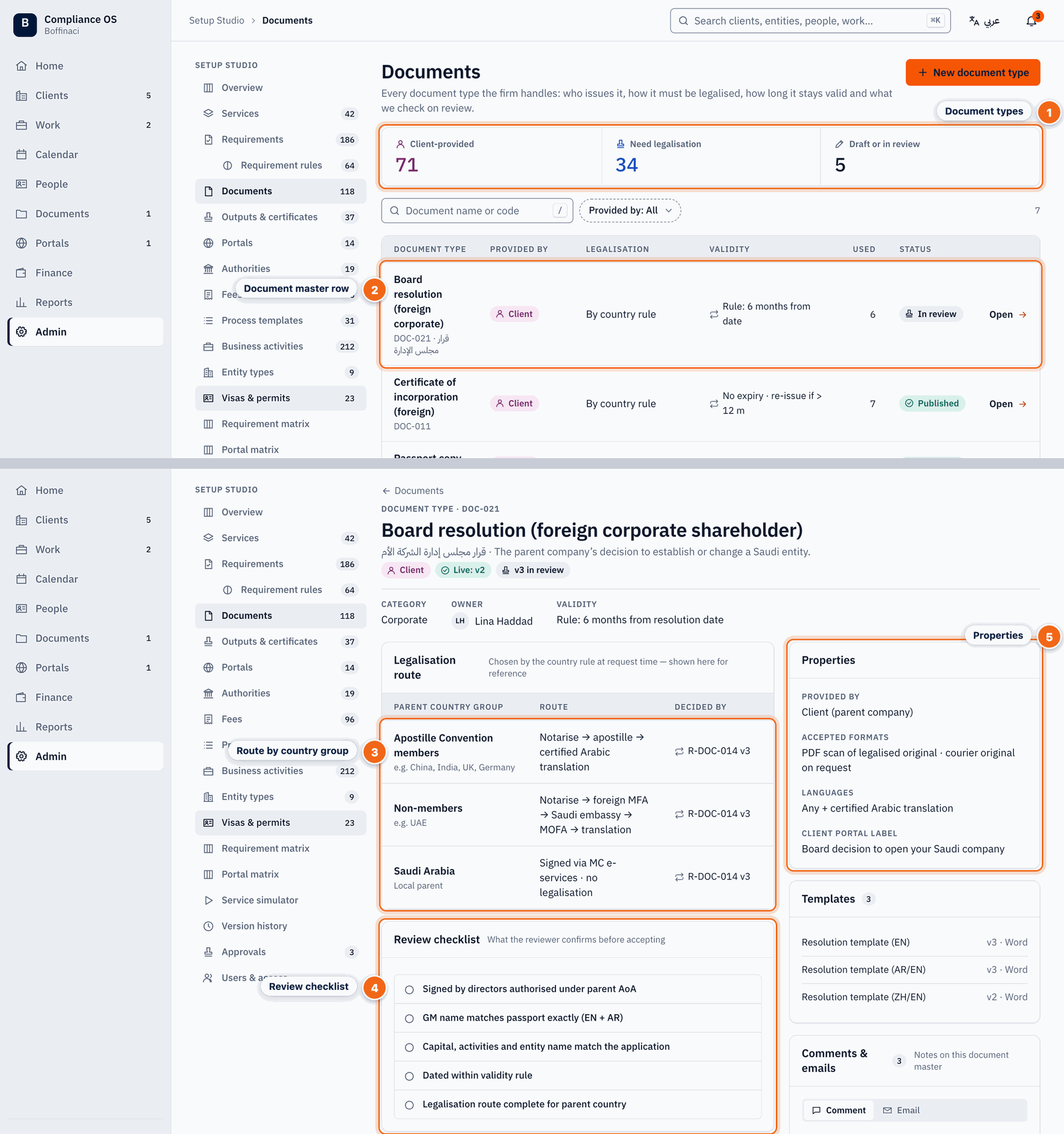
Stacked: top = document master list, bottom = Document 360 for DOC-021.
- Document types: Counts of client-provided documents, those needing legalisation, and drafts in review.
- Document master row: Each document type shows who provides it, how it is legalised, its validity rule, usage and status; click to open Document 360.
- Route by country group: The legalisation route for each parent-country group (Apostille members, non-members, Saudi), decided by the country rule and version shown.
- Review checklist: What the reviewer must confirm before accepting a document of this type.
- Properties: Who provides it, accepted formats, languages and the label shown in the client portal.
2. Portals and authorities
Portals and authorities have their own masters in the Studio menu. They work the same way.
3. Fee items
Amounts live only in fee items, each with a type and an effective-from date. A price change adds a new effective date, so history never changes.
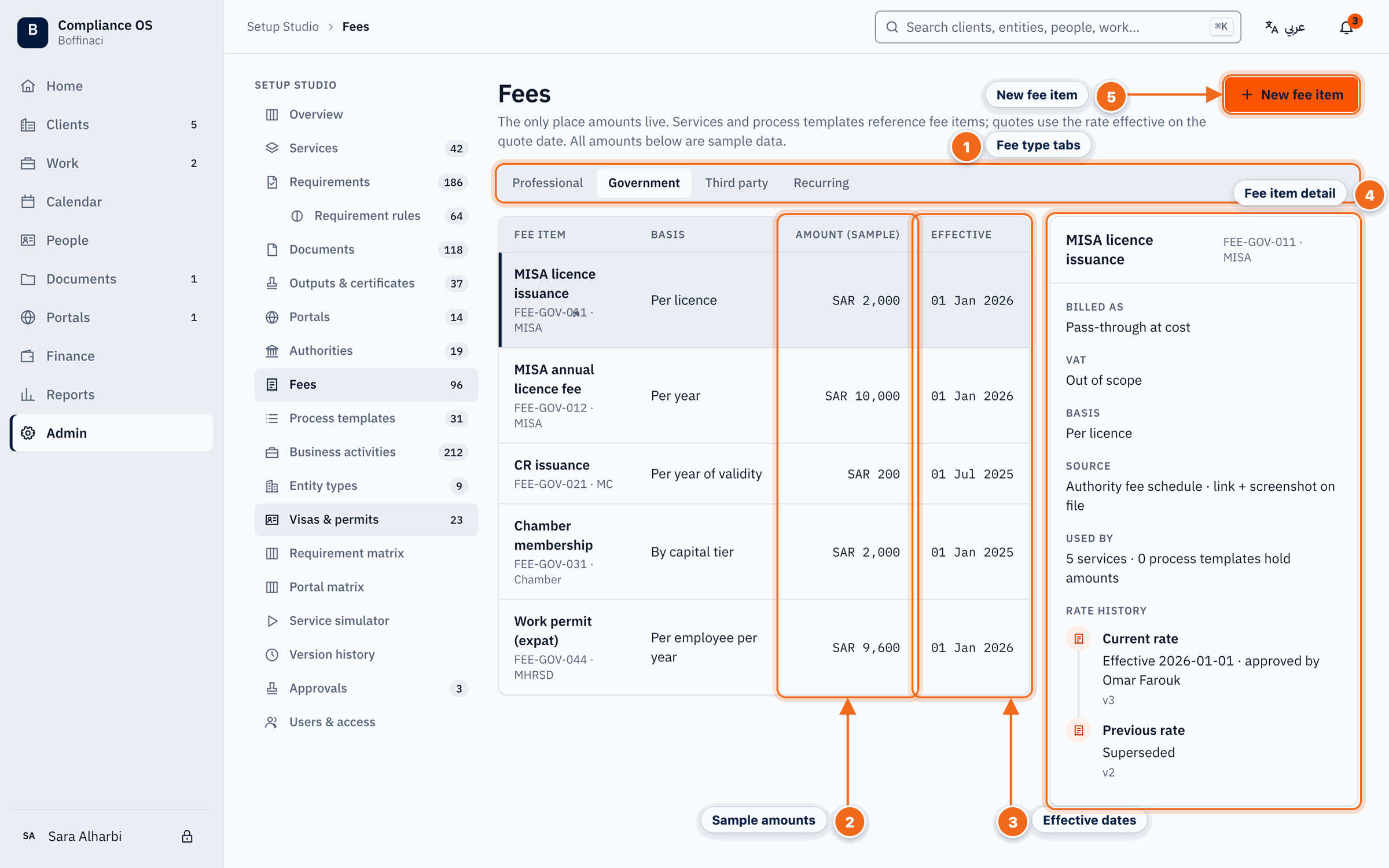
- Fee type tabs: Fees are split by type — professional, government, third party and recurring.
- Sample amounts: The amount and basis of each fee item; amounts live only here, never in services or templates.
- Effective dates: Each fee has an effective-from (and optional effective-to) date so price changes never rewrite history.
- Fee item detail: The selected fee item's code, authority, billing, effective dates and where it is used.
- New fee item: Adds a new fee item as a Draft; it goes through review before it is published.
Next: Users and access
Was this article helpful?
No comments yet. Login to start a new discussion Start a new discussion