People and ID expiries
By Compliance OS on September 29, 2026
BeginnerPeople lists your clients' employees and the status of their iqamas, visas and permits.
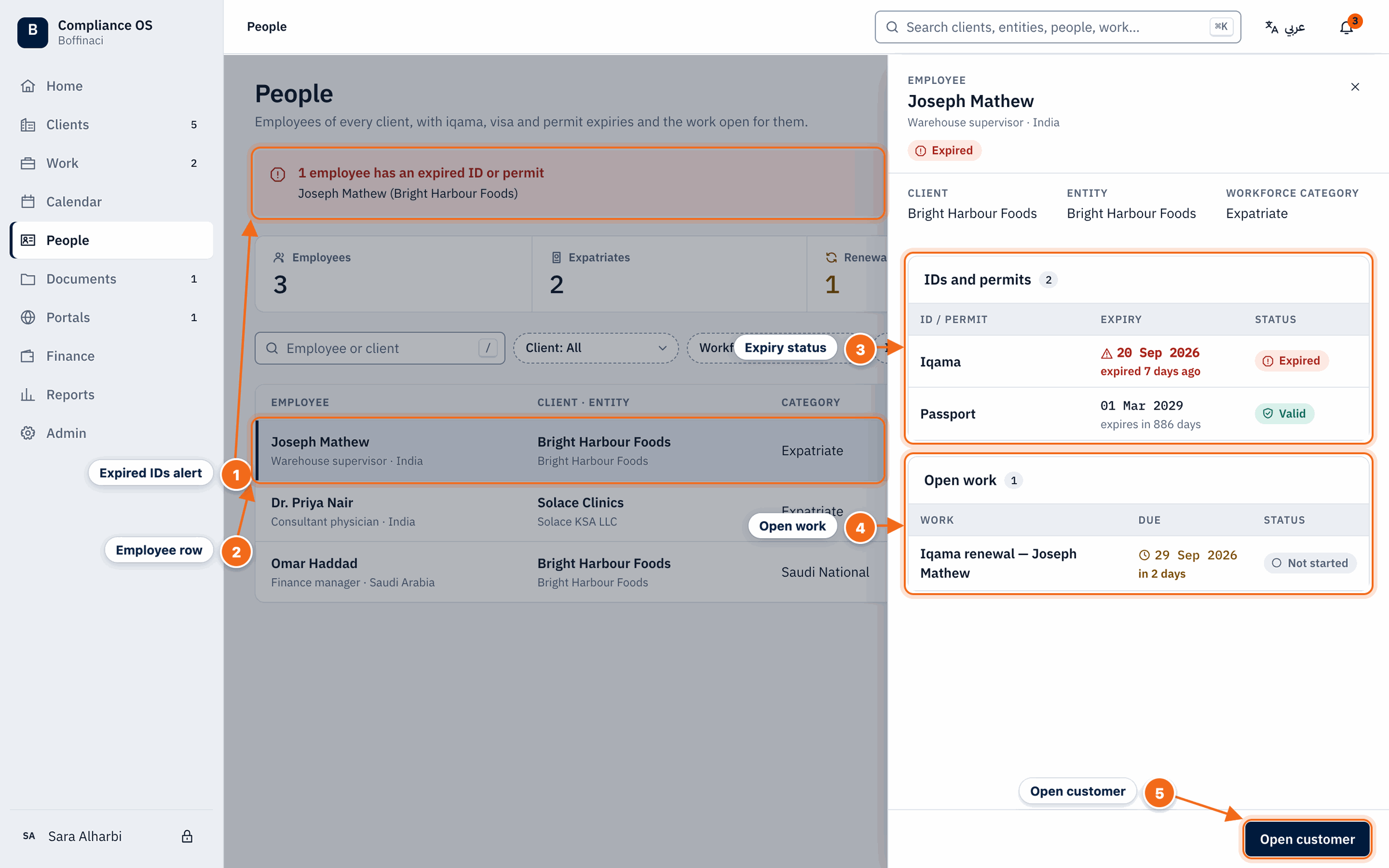
- Expired IDs alert: Employees with an expired ID or permit are called out at the top of the page.
- Employee row: Each row shows the employee, client and entity, category and ID status; click a row to open the detail drawer.
- Expiry status: Every ID and permit with its expiry date and status — expired, renewal due or valid.
- Open work: Renewal tasks and other open work for this person; click to open the task.
- Open customer: Jumps to the employee's customer 360.
1. Start with expired IDs
Expired IDs and permits are called out at the top.
2. Open a person
Click a row to see every ID, its expiry date and its status.
3. Act on it
Open the renewal task from Open work, or jump to the customer.
Was this article helpful?
No comments yet. Login to start a new discussion Start a new discussion