Finance and reports
By Compliance OS on September 29, 2026
IntermediateFinance shows what to bill. Reports show how compliant your clients are.
1. Bill chargeable work
Chargeable work lists completed work not yet invoiced. Invoices and Subscriptions are in the next tabs. Fees are always split into professional, government, third-party and recurring.
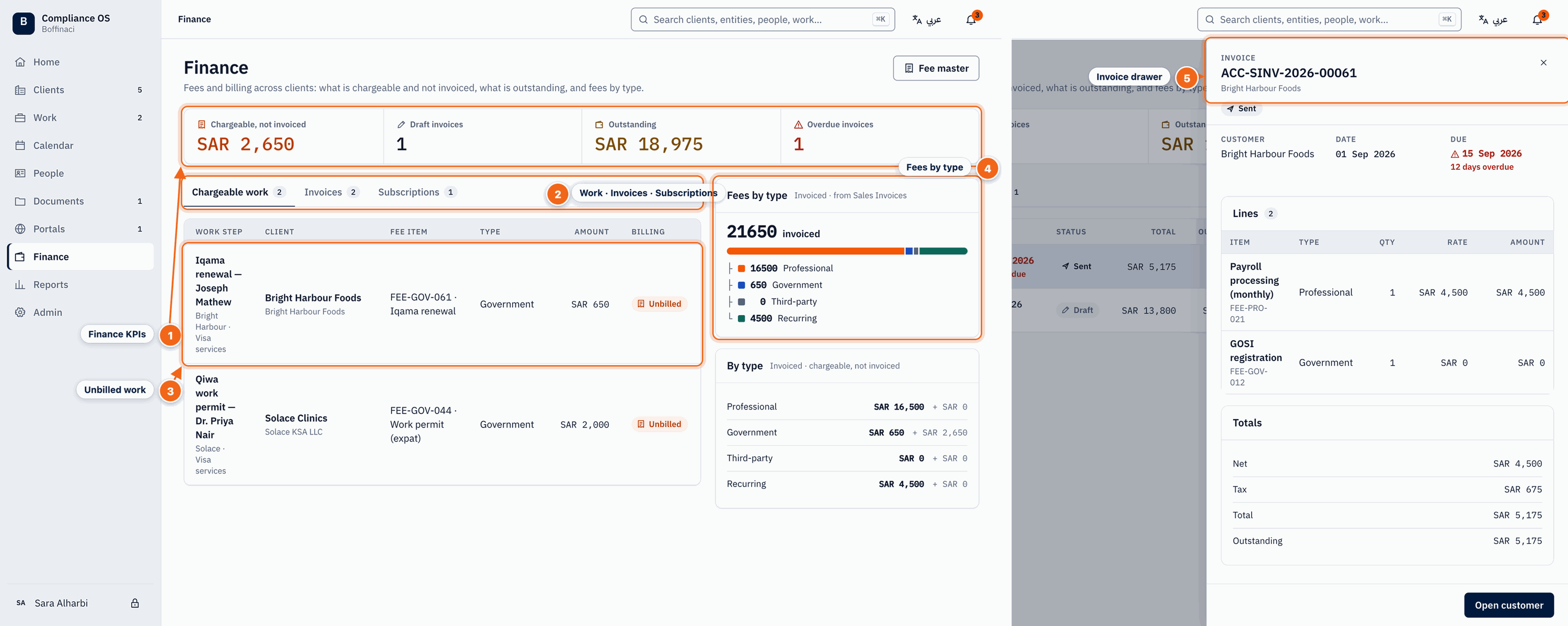
Two views side by side: left = Finance page (Chargeable work tab), right = an invoice opened from the Invoices tab.
- Finance KPIs: Chargeable but not invoiced, draft invoices, outstanding amount and overdue invoices at a glance.
- Work · Invoices · Subscriptions: Switch between chargeable work not yet invoiced, invoices, and recurring subscriptions.
- Unbilled work: Each chargeable work step with its client, fee item, fee type, amount and billing status (Unbilled).
- Fees by type: Invoiced totals split into professional, government, third-party and recurring fees; the By type panel below adds what is chargeable but not yet invoiced.
- Invoice drawer: Click an invoice on the Invoices tab to see its lines by fee type, totals, outstanding amount and due date, and jump to the customer.
2. Open a report
The Reports hub summarises compliance, SLA, expiries and requirements by owner. Open a full report to search, filter and Export CSV.
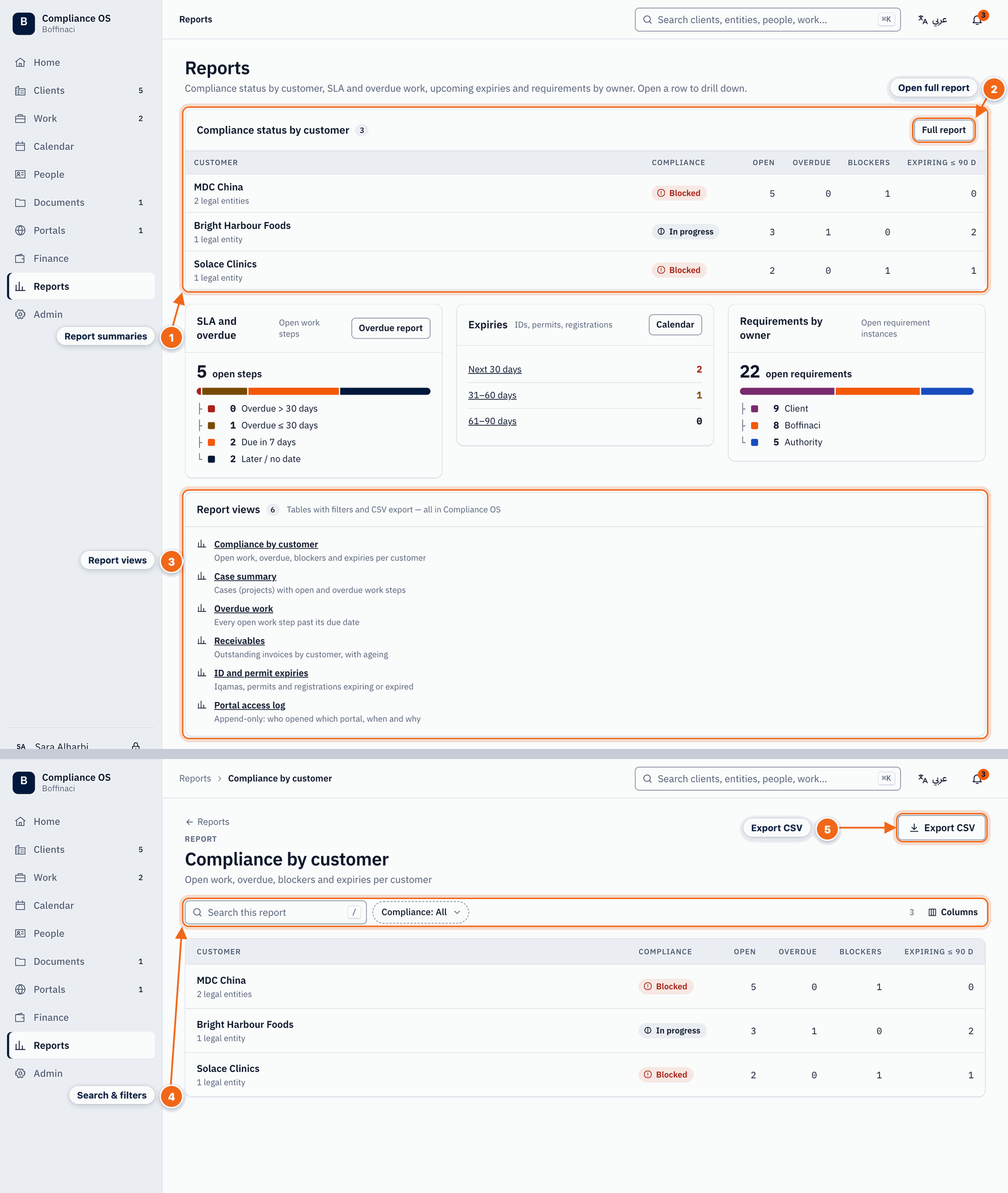
Two views stacked: top = Reports hub, bottom = the 'Compliance by customer' report view.
- Report summaries: The hub summarises compliance status by customer, SLA and overdue work, upcoming expiries and requirements by owner.
- Open full report: Full report (or Overdue report / Calendar) opens the detailed view behind a summary.
- Report views: All available report tables — compliance by customer, cases, overdue work, receivables, ID expiries, portal access log.
- Search & filters: Inside a report, search and filter the rows and choose which columns to show.
- Export CSV: Downloads the filtered report as a CSV file.
Was this article helpful?
No comments yet. Login to start a new discussion Start a new discussion