Customer 360, comments and emails
By Compliance OS on September 29, 2026
BeginnerCustomer 360 is one page for everything about a customer.
1. Read the page
Blockers and exceptions are at the top. The tabs cover Overview, Requirements, Work, Documents, Billing, History, Portals, and Comments & emails.
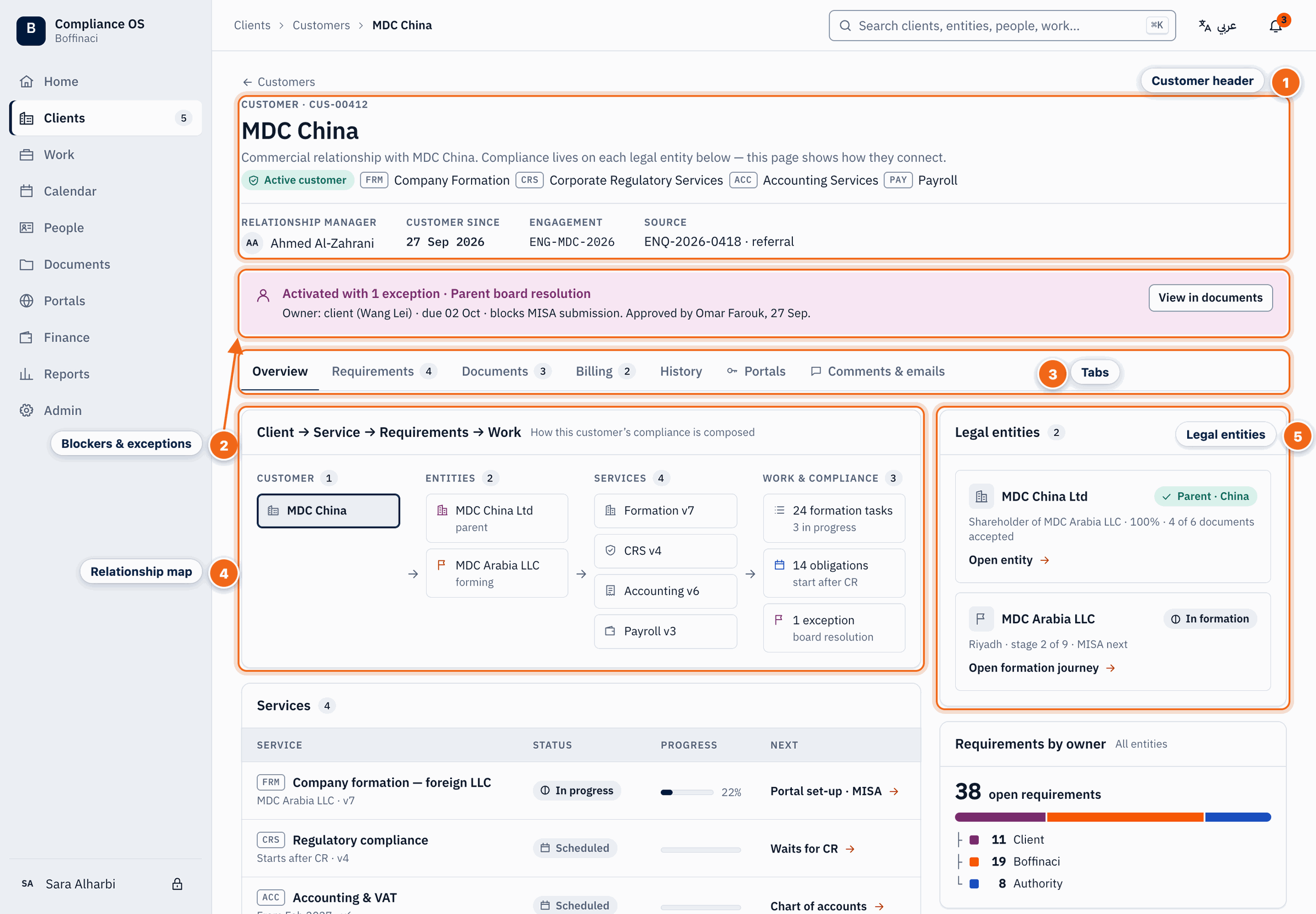
- Customer header: The customer's name, status, services and key facts such as RM and lifecycle.
- Blockers & exceptions: Open exceptions and blockers are shown at the top; click through to the evidence.
- Tabs: Switch between Overview, Requirements, Documents, Billing, History, Portals and Comments & emails.
- Relationship map: A map of how this customer flows from services to requirements to work, with counts at each step.
- Legal entities: The legal entities this customer owns — the compliance subjects each piece of work belongs to.
2. Comment for your team
Open Comments & emails, type a note and @mention a colleague. Comments are internal and can't be edited later.
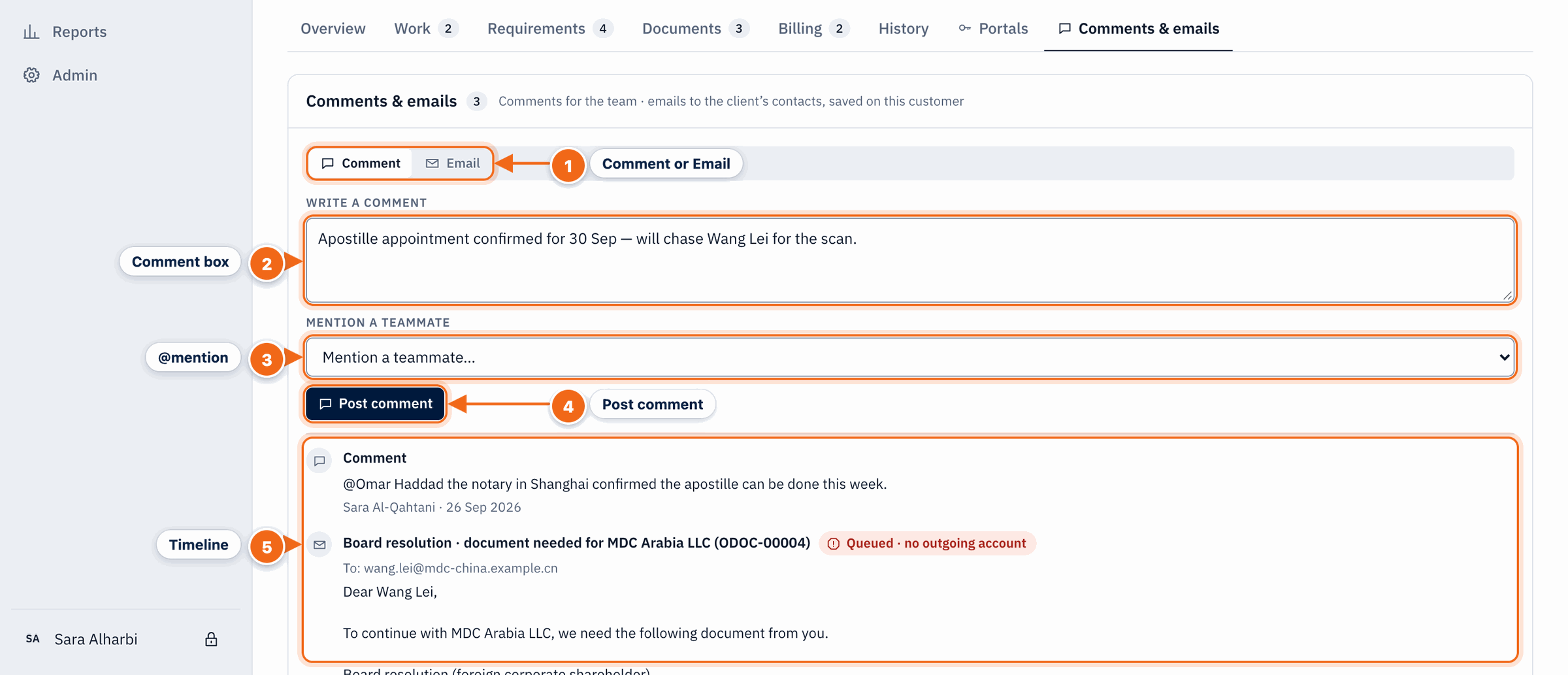
- Comment or Email: Switch between an internal team comment and an email to the client's contacts.
- Comment box: Write a note for the team; comments are internal and never sent to the client.
- @mention: Pick a teammate to @mention — they are notified and the comment shows on their Home.
- Post comment: Adds the comment to the timeline; entries can't be edited or deleted.
- Timeline: All comments and emails for this customer, newest first, including queued or failed emails.
3. Email the client
Switch to Email, tick the contacts, pick a template if useful, and send. The email is saved on the timeline.
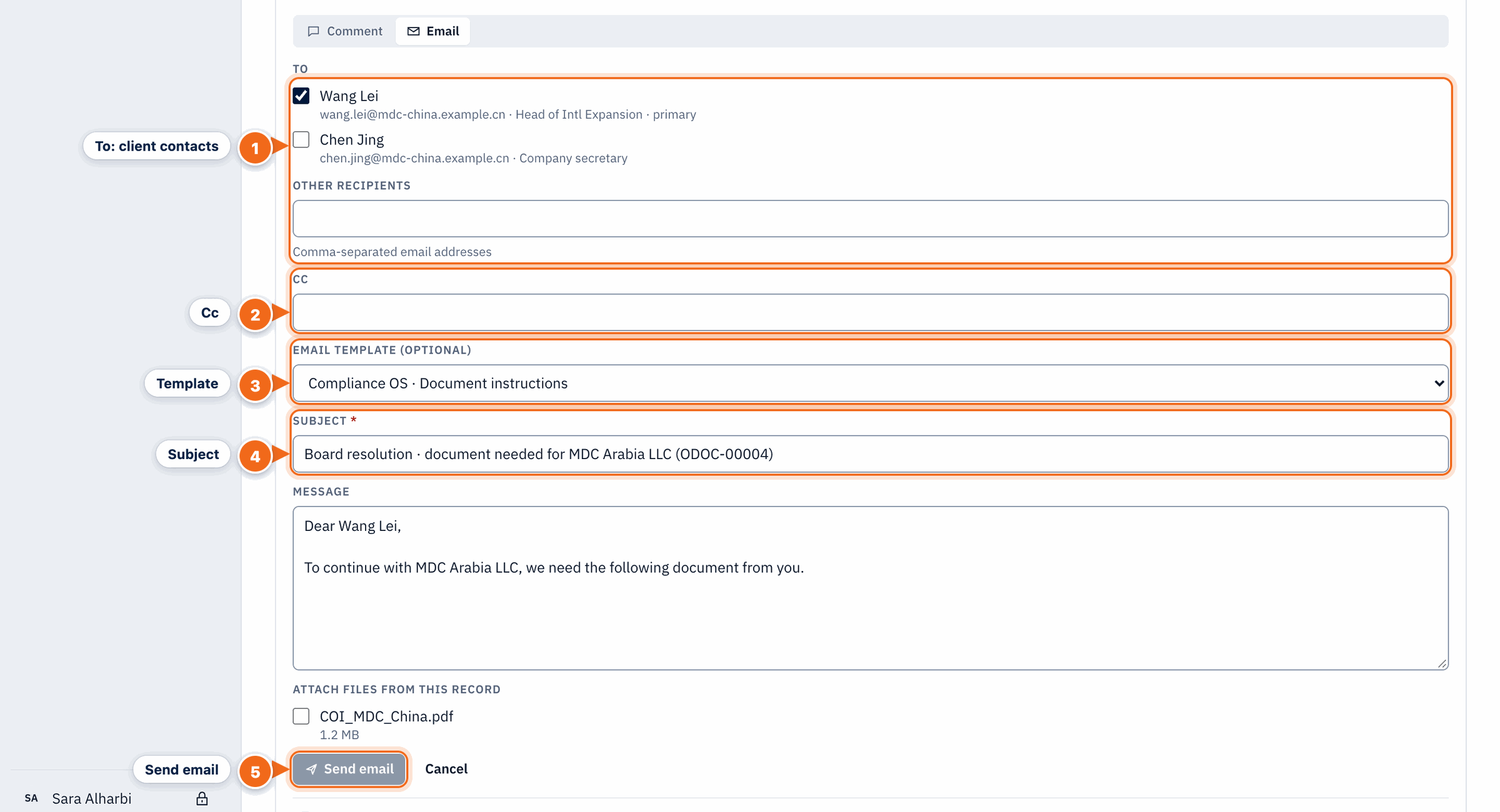
- To: client contacts: Tick the client contacts to email, or add other addresses separated by commas.
- Cc: Copy colleagues or other recipients.
- Template: Start from an email template (for example Document instructions) to prefill the subject and message.
- Subject: The email subject; it is required.
- Send email: Sends the email (with any ticked attachments) and saves it on the customer's timeline; without an outgoing account it is queued.
Next: Work queue
Was this article helpful?
No comments yet. Login to start a new discussion Start a new discussion