Qualify an enquiry
By Compliance OS on September 29, 2026
IntermediateQualification asks the questions that decide which requirements apply. You don't need every answer to move on.
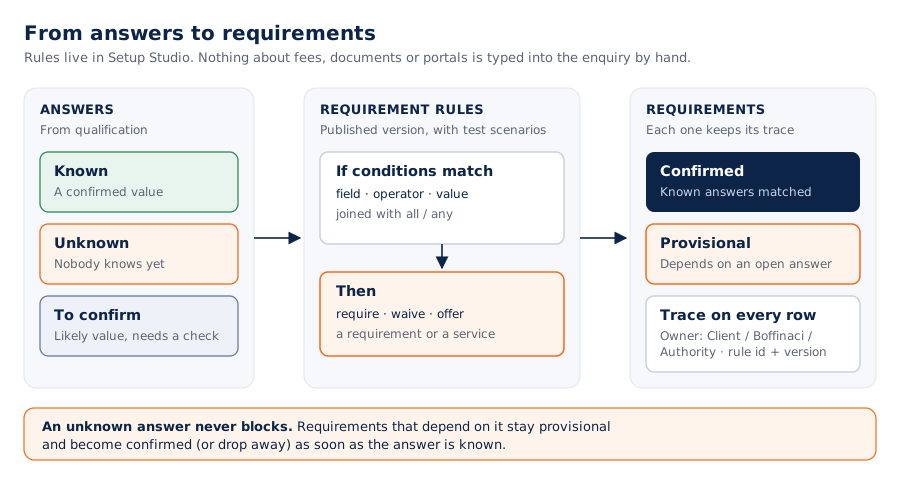
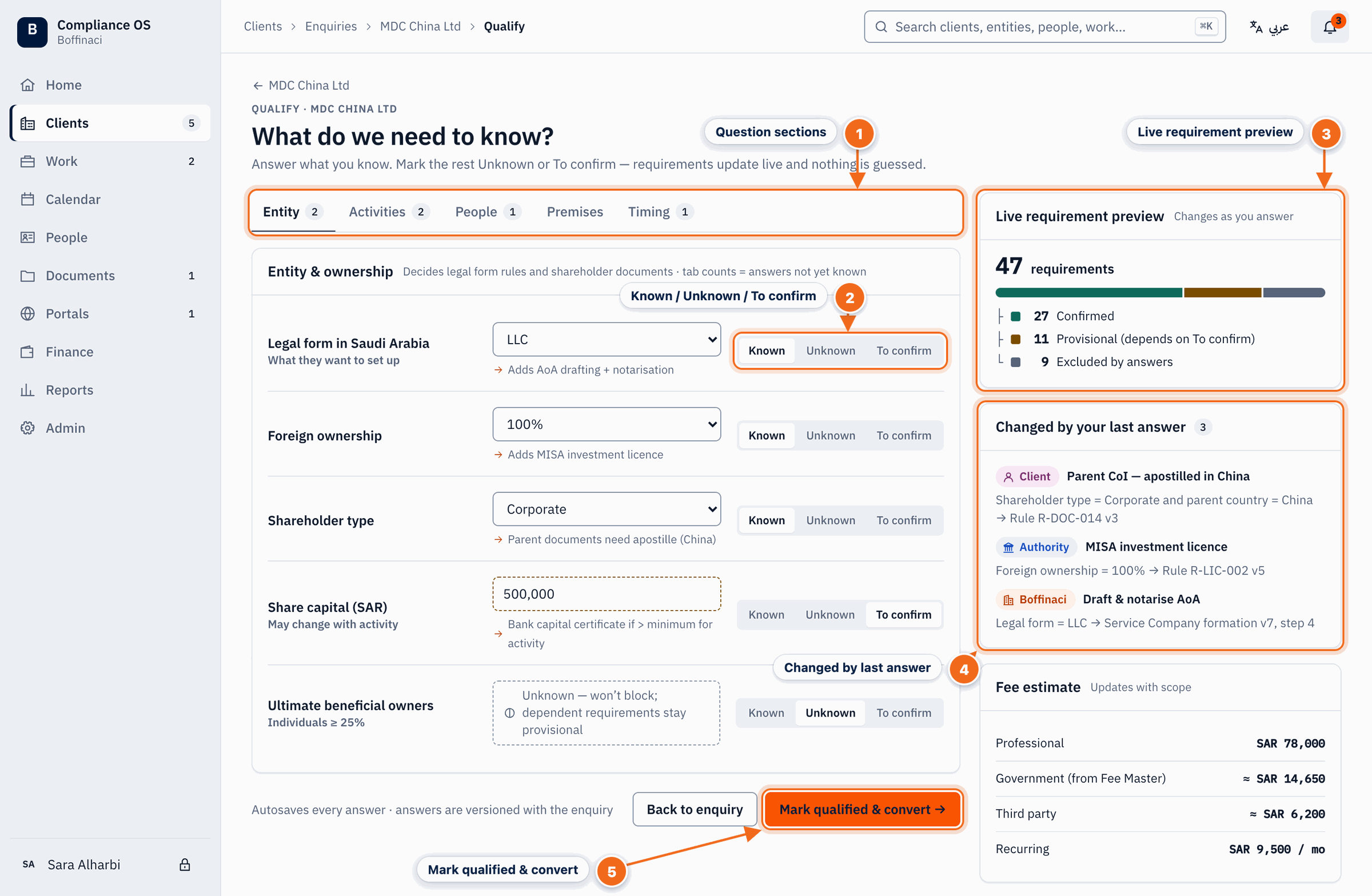
- Question sections: Questions are grouped into Entity, Activities, People, Premises and Timing; the number shows open questions per section.
- Known / Unknown / To confirm: Mark every answer as Known, Unknown or To confirm — an unknown never blocks; dependent requirements simply stay provisional.
- Live requirement preview: The requirement count and split by owner update instantly as you answer.
- Changed by last answer: Shows exactly which requirements your last answer added, removed or made provisional.
- Mark qualified & convert: When you are done, mark the enquiry qualified and move on to conversion.
1. Open qualification
On Enquiry 360, click Continue qualification.
2. Answer and mark how sure you are
For each question choose Known, Unknown or To confirm. An unknown never blocks you; the requirements that depend on it stay provisional.
3. Watch the preview
The requirement count and the split by owner (Client, Boffinaci, Authority) update as you answer.
4. Check what your last answer changed
Changed by your last answer shows the requirements it added, removed or made provisional.
5. Finish
Click Mark qualified & convert.
Was this article helpful?
No comments yet. Login to start a new discussion Start a new discussion