Log a new enquiry
By Compliance OS on September 29, 2026
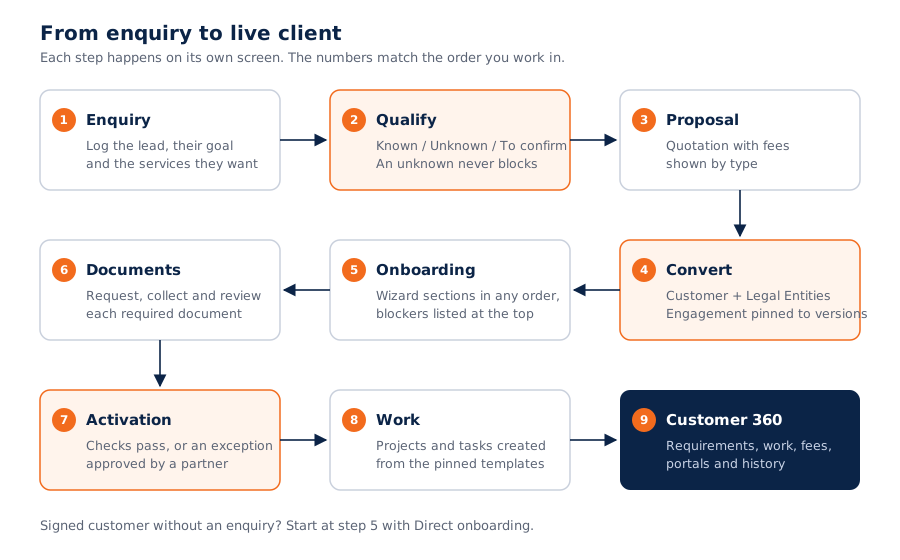
BeginnerAn enquiry is a prospect's first request. It becomes a customer when they sign.
Before you start: have the prospect's name, a contact and what they want to achieve.
1. Open Clients
Clients has three stages: Enquiries, Onboarding and Customers.
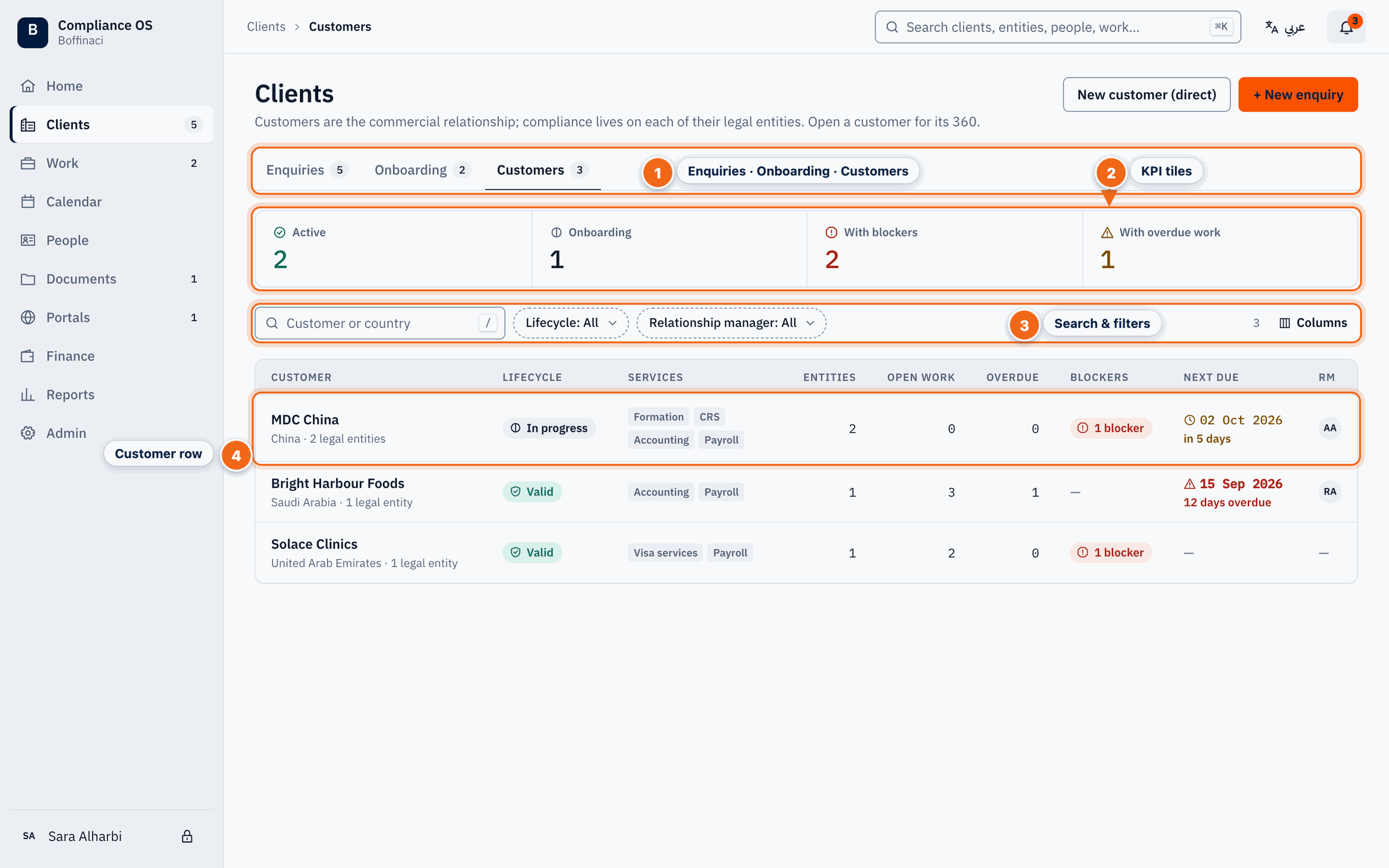
- Enquiries · Onboarding · Customers: Switch between the three client stages: enquiries (prospects), onboardings in progress, and activated customers.
- KPI tiles: Counts of active, onboarding, blocked and overdue customers; click a tile to filter the list.
- Search & filters: Search by customer or country and filter by lifecycle or relationship manager.
- Customer row: Each row shows the customer, its legal entities, open work, blockers and RM; click it to open Customer 360.
2. Start a new enquiry
Open Enquiries and click New enquiry. Use the tiles and filters to find existing ones.
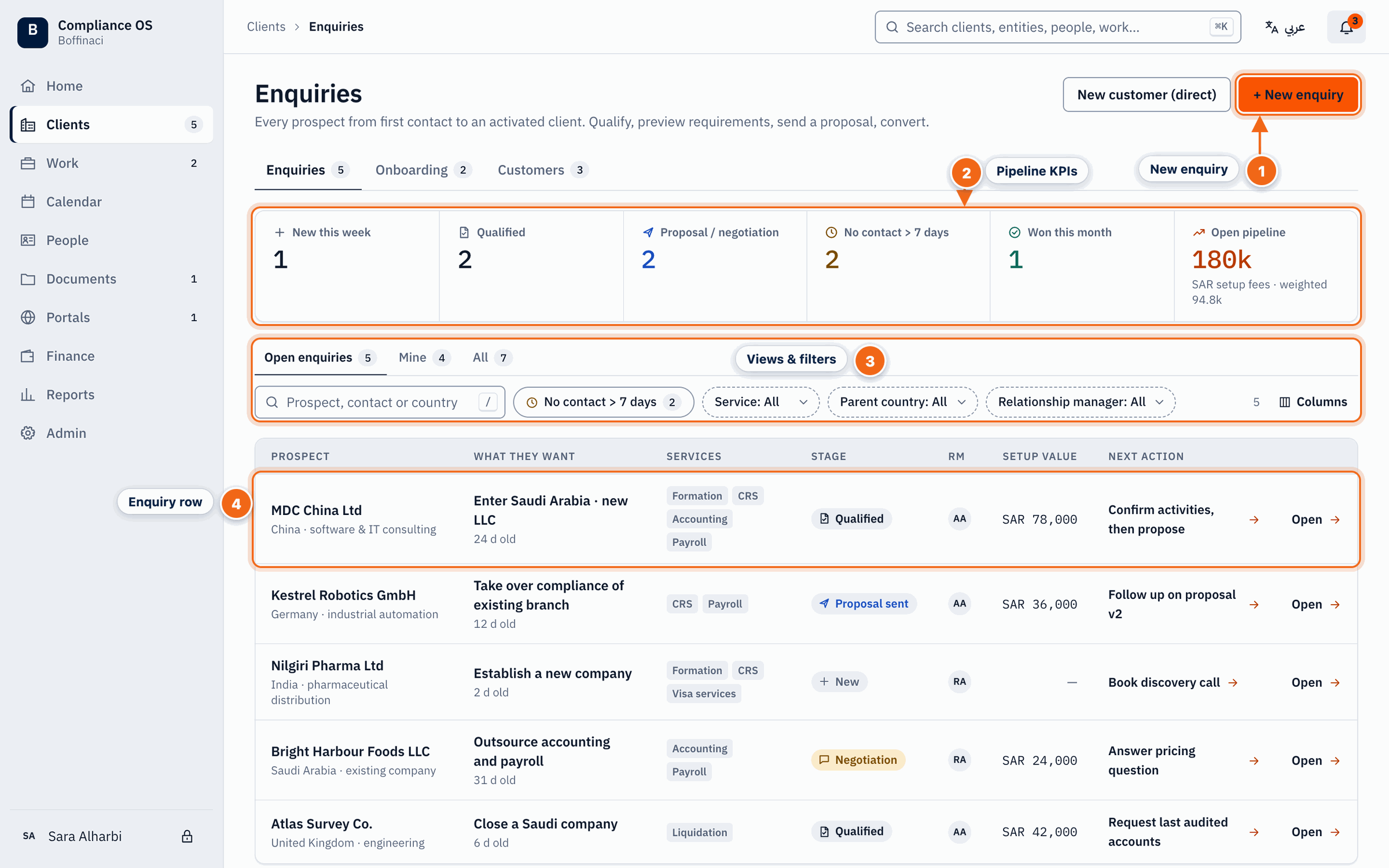
- New enquiry: Starts a new enquiry for a prospect.
- Pipeline KPIs: Pipeline counts — new, qualified, in proposal, stale and won — plus the open pipeline value; click a tile to filter.
- Views & filters: Switch between Open / Mine / All, search, and filter by service, parent country or RM.
- Enquiry row: Click an enquiry to open its 360 view.
3. Fill in the essentials
Pick the goal and the services of interest. If a duplicate warning appears, open the existing record instead.
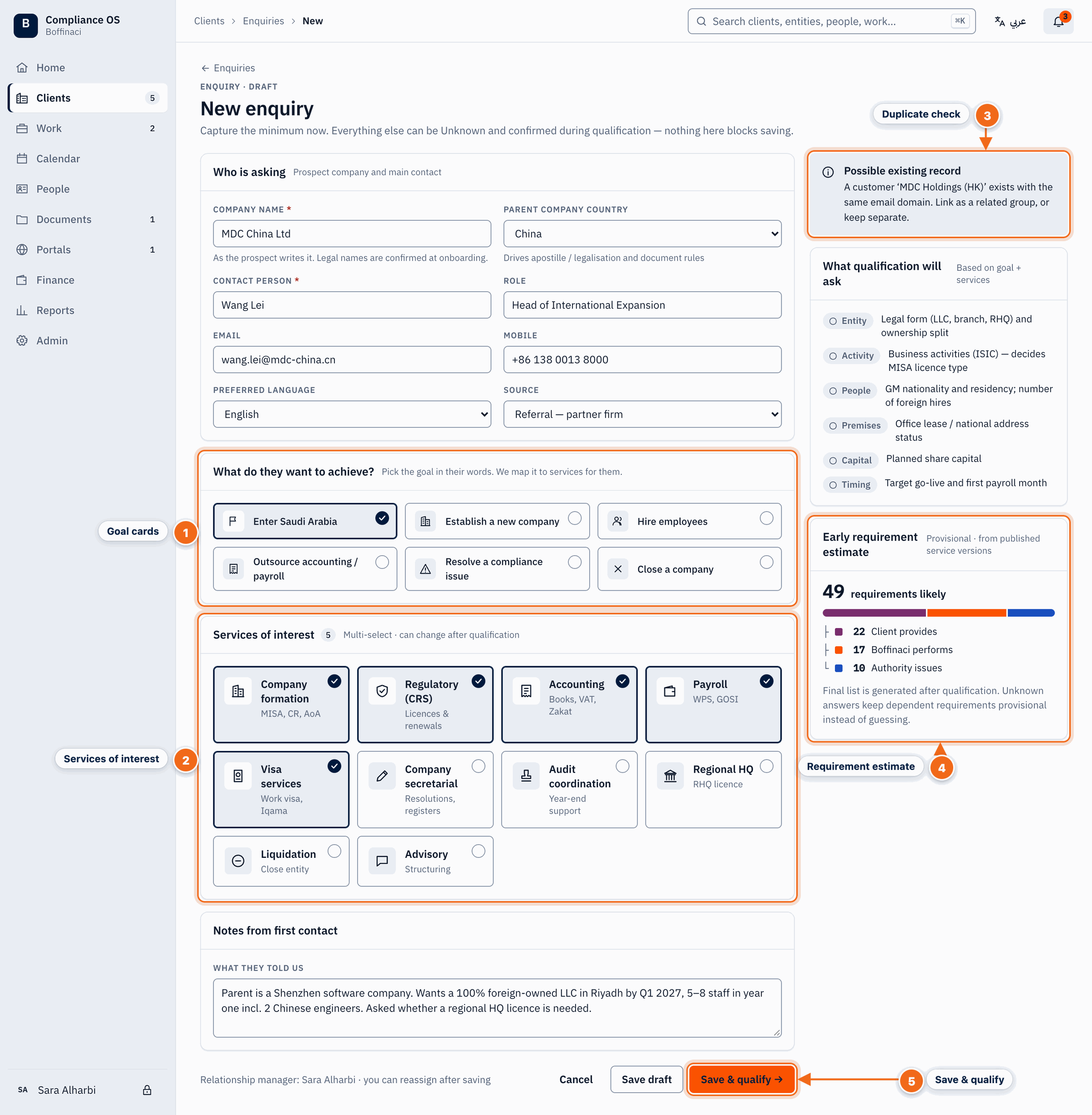
- Goal cards: Pick the prospect's main goal (enter Saudi Arabia, establish a company, hire staff…); it drives which questions qualification will ask.
- Services of interest: Select every service the prospect is interested in; you can change this later.
- Duplicate check: Warns you when a similar customer or enquiry already exists so you can link to it instead of creating a duplicate.
- Requirement estimate: A provisional list of requirements from published rules, based on the goal and services chosen so far.
- Save & qualify: Saves the enquiry and continues to qualification; use Save draft to finish later.
4. Save
Click Save & qualify to continue now, or Save draft to finish later.
5. Use Enquiry 360
Every enquiry has a 360 page: stage, open answers, expected requirements, fees and next actions.
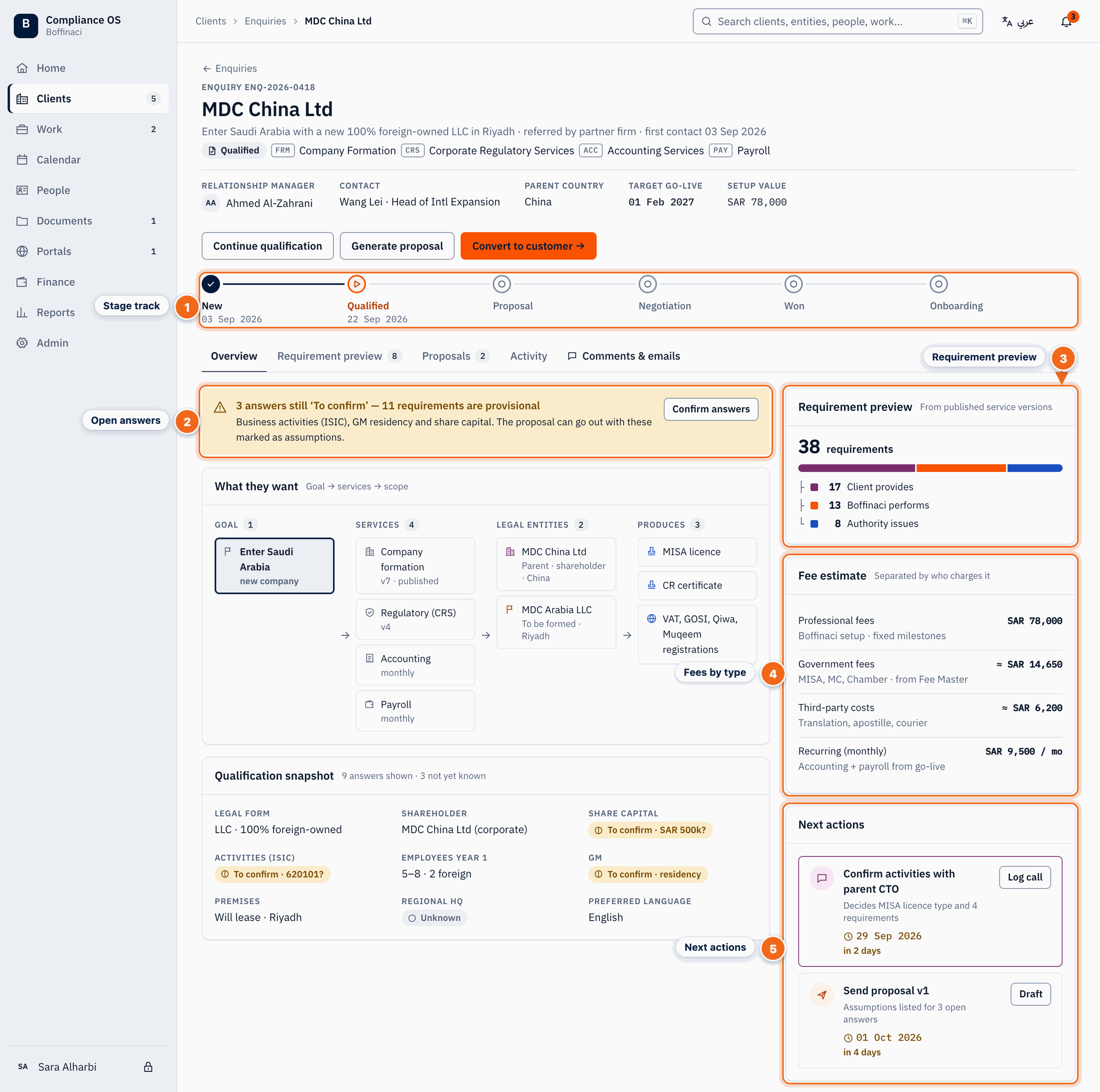
- Stage track: Shows where the enquiry is — New, Qualified, Proposal, Negotiation, Won, Onboarding — with the date each stage was reached.
- Open answers: Answers still ‘To confirm’ and how many requirements stay provisional because of them; Confirm answers takes you to qualification.
- Requirement preview: Counts requirements by owner (Client / Boffinaci / Authority); the Requirement preview tab lists each one with its certainty and the rule + version that produced it.
- Fees by type: Fees are separated into professional, government, third-party and recurring, taken from the Fee Master.
- Next actions: The next steps with due dates; log a call or draft the proposal from here.
Next: Qualify an enquiry
Was this article helpful?
No comments yet. Login to start a new discussion Start a new discussion